Designed by FM arrow_outward
Simply test and download the free high quality "Cheatin" font, designed by FM. Explore related styles such as Fonts, Fancy, and Stencil on FontMagic. Please check the license before using it in personal or commercial projects.
draft cheatin.ttf
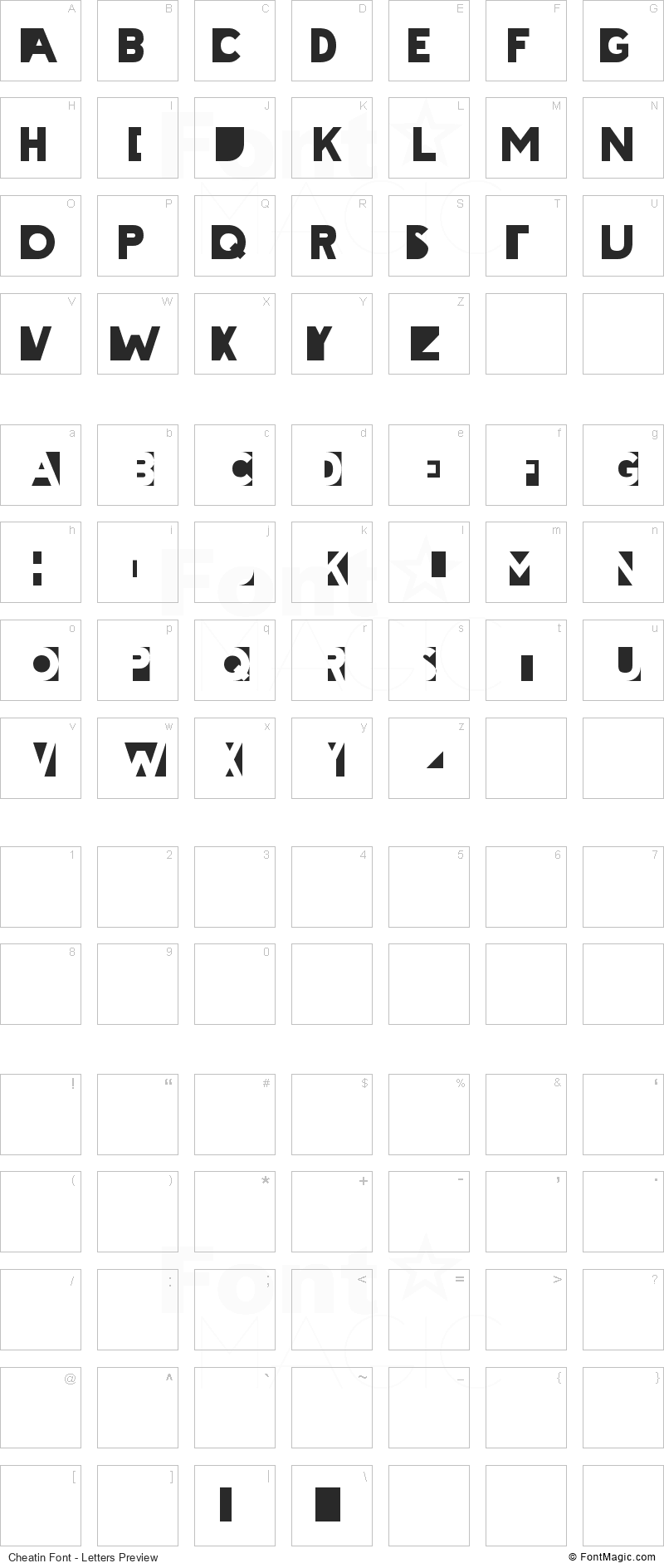
Cheatin is a distinctive font designed by FM. FontMagic lists it with related styles such as Fonts, Fancy, and Stencil, making it easier to discover similar lettering for your next creative project.
We currently list 45 fonts connected with FM on FontMagic. You can browse all FM fonts here or visit the author website for more information about their type work.
Use the preview tools to try custom words, adjust the style, and compare the available font files before downloading. Always review the license information for Cheatin before using it in personal, client, or commercial projects.
Please review the original author license before using Cheatin in commercial projects. Purchasing or downloading from the author may provide full letter cases, updates, and official usage rights.
Font: Cheatin'
Created By: Matthew Welch
E-Mail: matt@squaregear.net
Web Address: http://www.squaregear.net/fonts/
My fonts are all free. You can use them for personal or commercial projects,
and I ask for no money. I would, however, love to hear from you. If you use
my fonts for something please e-mail me letting me know how you used it. Send
me a copy if you can or let me know where I can find your work. You are under
no obligation to do this, I just like to see how my fonts get used.
A license.txt file should have been included with this font, explaining the
license under which it is made available. You can also read it at:
http://www.squaregear.net/fonts/license.shtml
About the font:
To achieve the intended effect of this font you have to alternate
capital and lower case letters. It works best with words
containing an odd number of letters.
ExAmPlE
To get to the regular looking letters for the beginnings of words
there is a little trick. You have to look up the letter you want
in the table below and enter the sequence listed. For instance,
to begin a word with the letter 'A', hold down the alt key, type
0193 on the numeric keypad (not the row of numbers above the
letters), and then release the alt key. Letters that have a
straight vertical line on their left side (B, E, M, etc.) will
appear just the same using either the sequence below or the
capitalized letter. For all other letters you have to use the
alt+number sequence.
[alt+0193]lTeRnAtE
A alt+0193
B alt+0194
C alt+0195
D alt+0196
E alt+0197
F alt+0198
G alt+0199
H alt+0200
I alt+0201
J alt+0202
K alt+0203
L alt+0204
M alt+0205
N alt+0206
O alt+0207
P alt+0208
Q alt+0209
R alt+0210
S alt+0211
T alt+0212
U alt+0213
V alt+0214
W alt+0215
X alt+0216
Y alt+0217
Z alt+0218
A black space character has been provided as the '\'. You can use
this between two words when the first one has an even number of
letters.
MaRk\SmItH
A half sized black space is available as the '|'. Put this on the
end of a word with an even number of letters to give it a more
finished look.
[alt+0212]eSt|
FontMagic uses cookies to improve your browsing experience and understand how the site is used. Learn more
Create an account or login to save fonts and find them again later.